Add-ons & Plugins
Render Toolkit for UEFN
Python Program for enhancing your map captures, renders, and lobby backgrounds.
Made for UEFN, Unreal Engine
- 69
- Downloads
- 410
- Views
- 3
- Likes
About this resource
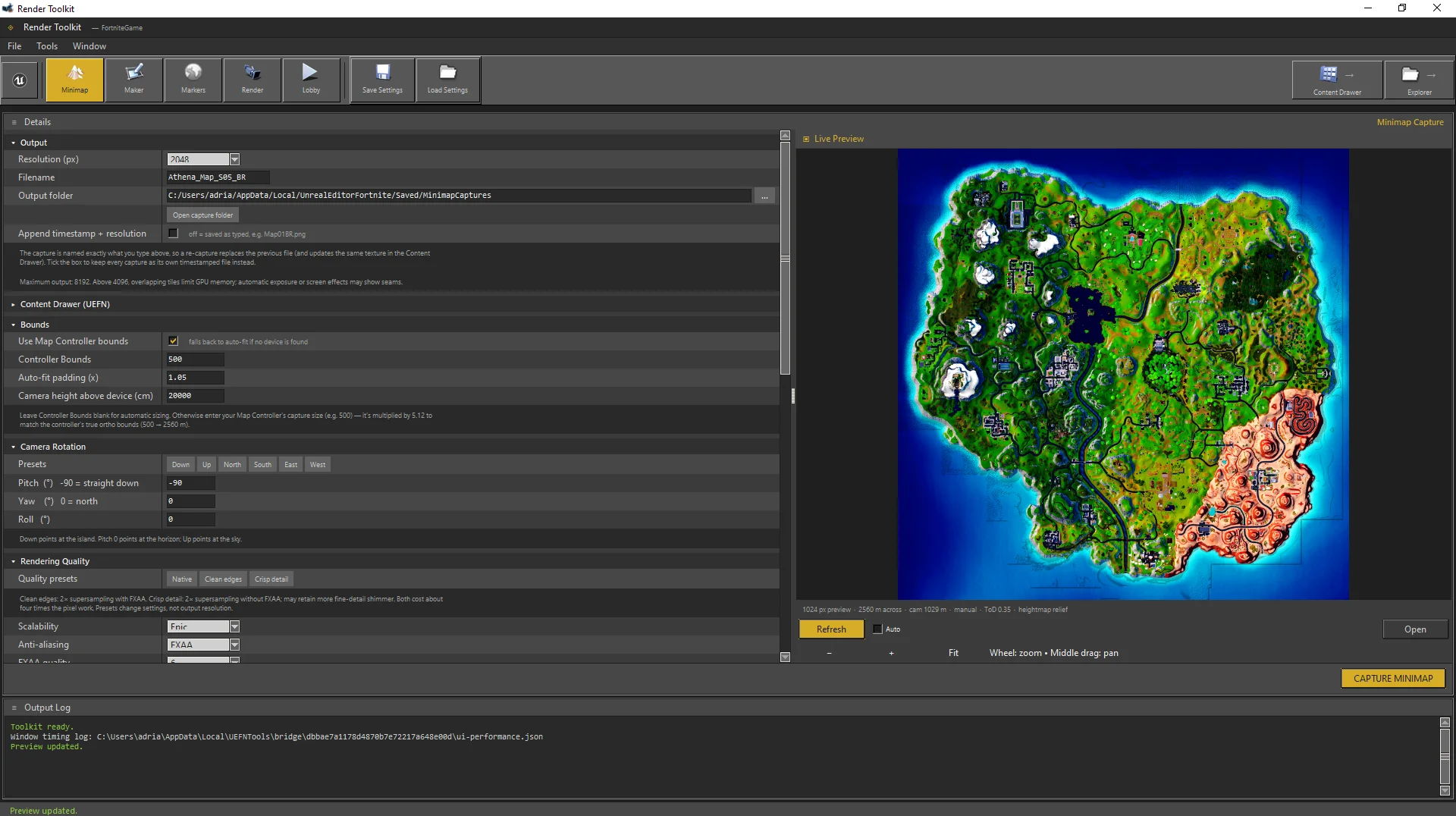
A UEFN Python tool that allows users to use existing devices like the map controller to capture higher quality map captures with customizable image settings. Set your map quality, Color settings, and resolution, and export up to 8k minimaps! ( 4k max for UEFN imports )
This tool also supports a custom rendering tab, map labeling & Naming Tab, as well as a early Lobby Previewing system ( still in the works! )
This helps Creators capture high quality map captures like Epic Games, as well as help users prepare their promotional media and lobby pictures!
How to install
- Download and Extract the file.
- Open your UEFN project
- Go to your project settings and scroll to experimental features
- Enable Python Editor Scripting and let UEFN Initialize.
- Go to tools and click execute script
- Go to the extracted folder and click UEFN_Toolkit.py
- When the toolkit opens, set your desired settings and refresh to see a preview
- Click save at the top to save your settings for future use!
Credits
@WintersWorks